WordPress plugin · free on WordPress.org
Evosolve Marketing Studio
Pick a page, post or product on your site. The AI you connect drafts the post, makes or finds the picture and shows you how it will look on Facebook and Instagram. You check it, approve it, and publish it from WordPress.
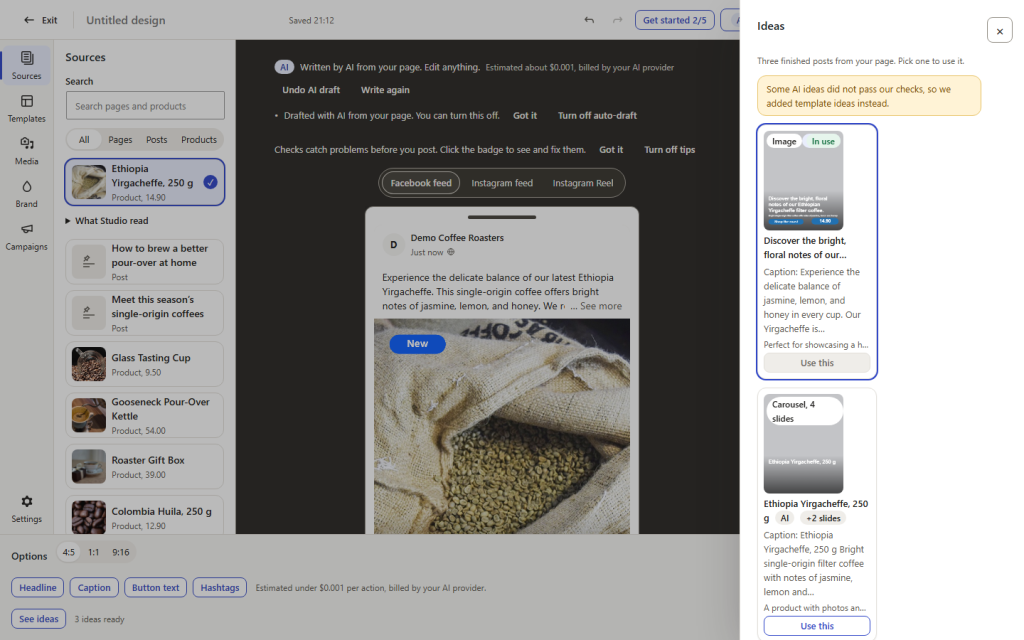
Screenshot from our demo site (a fictional coffee shop). A product is picked; the AI drafted caption options from its own facts.
The heavy lifting
What the AI does for you
It writes the post and makes the picture
The Studio reads the page you pick: its title, excerpt, headings, images and, for WooCommerce products, the price facts. The AI drafts several caption options and finished post ideas from those facts, and a facts panel shows exactly what it used. Ask for a picture in your own words and the AI makes it; it is marked as AI, and a line in the caption can say so. Prefer no AI for a post? Built-in caption templates work without it.
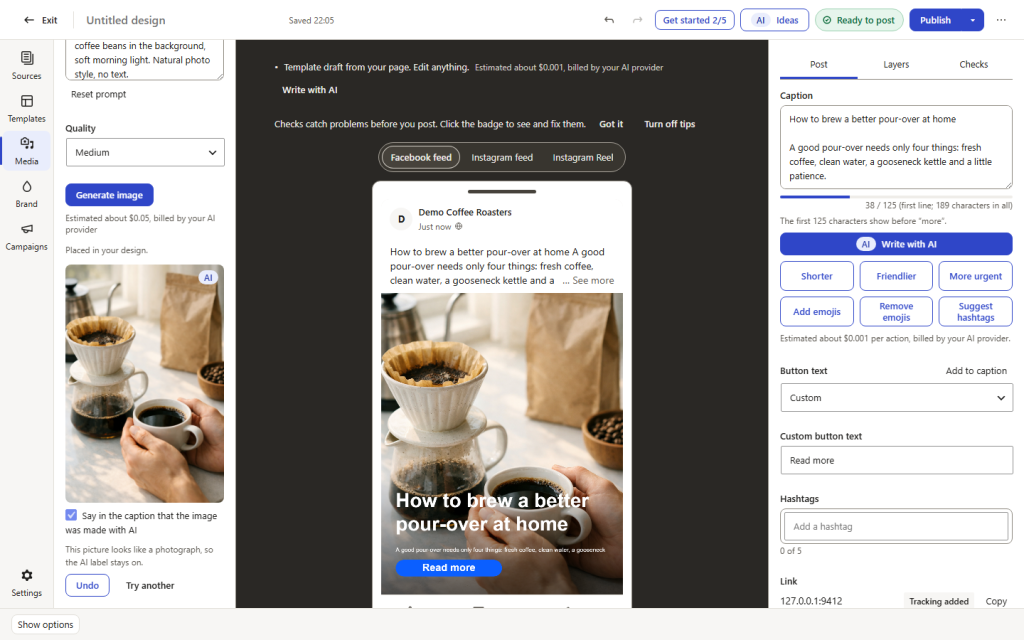
Screenshot from our demo site (a fictional coffee shop). An AI picture made from a prompt, marked AI, with the caption note switched on. The picture in the post was made with AI and is labelled as such.
It shows you the result first
Before anything goes out you see the post as it will appear on Facebook and on Instagram, with the picture, the caption and the link. Pictures can also come from your own media library or free stock libraries (Pixabay, Pexels, Openverse), with the photographer credit kept.
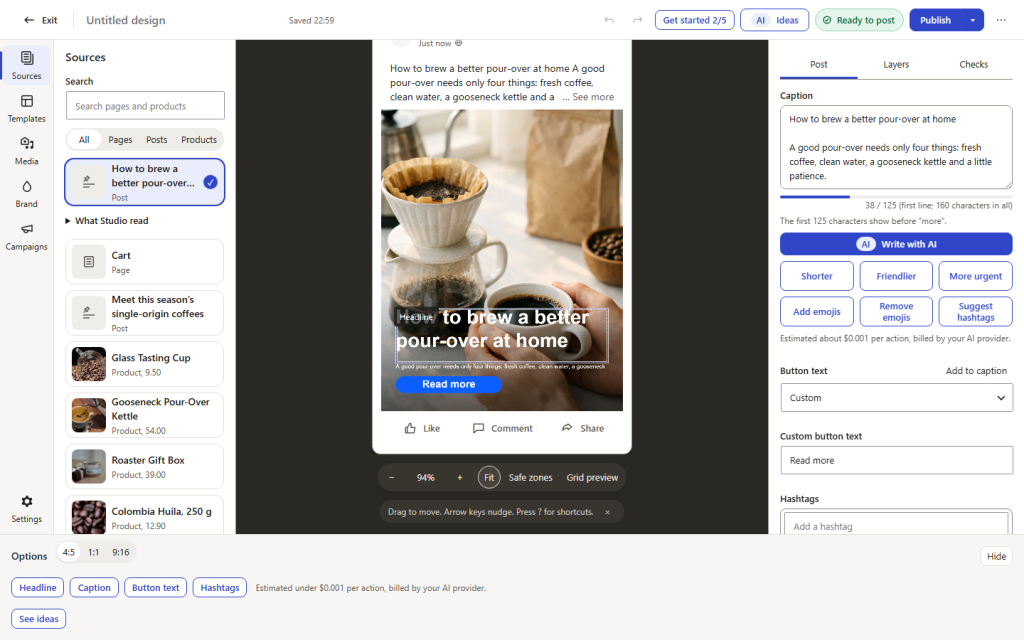
Screenshot from our demo site (a fictional coffee shop). The Facebook preview before publishing. The picture in the post was made with AI and is labelled as such.
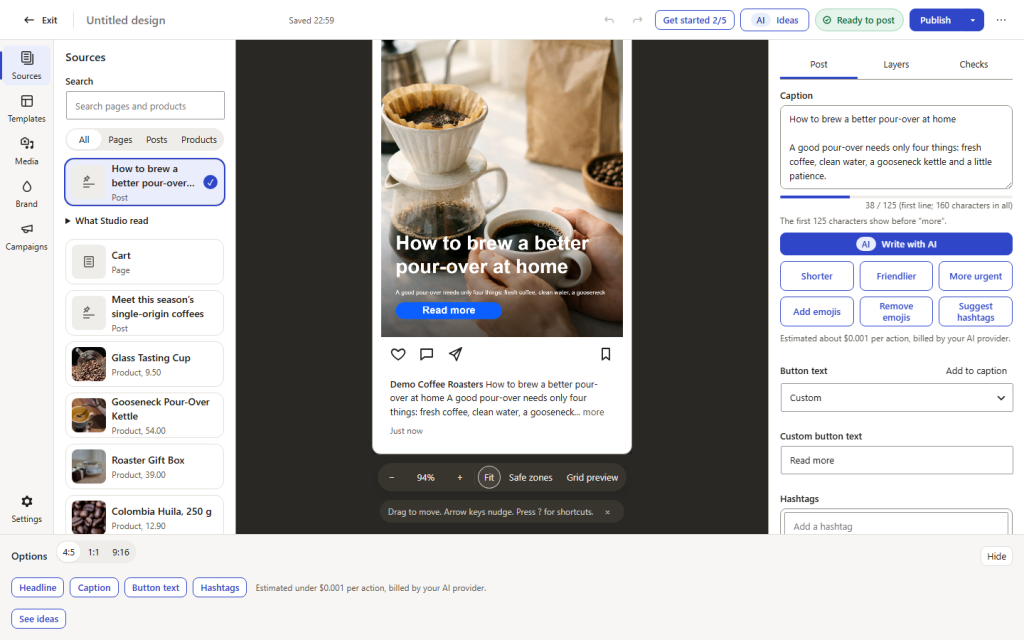
Screenshot from our demo site (a fictional coffee shop). The Instagram preview of the same post. The picture in the post was made with AI and is labelled as such.
It works on your phone
The full-screen Studio fits a phone: pick a product, check the preview, approve.
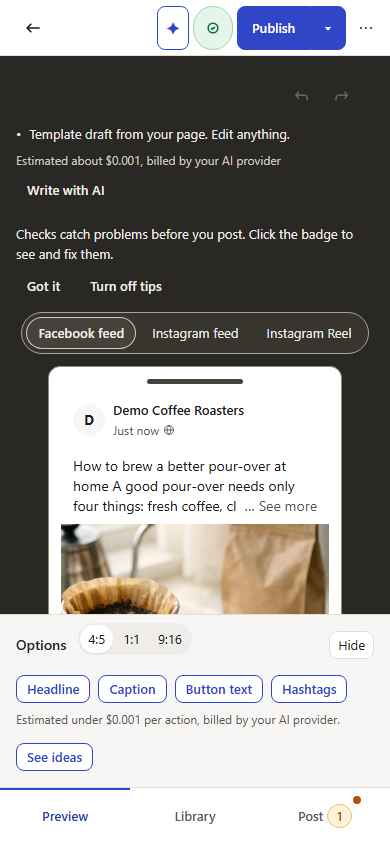
Screenshot from our demo site (a fictional coffee shop). The Studio on a phone. The picture in the post was made with AI and is labelled as such.
You stay in charge
Your keys, your costs, your approval
Bring the AI you already use
• Connect your own key from OpenAI, Google Gemini, Anthropic Claude, xAI Grok, Mistral, DeepSeek, OpenRouter, the Meta model API or Amazon Bedrock. The provider bills you directly; there is no AI charge from us.
• The Studio shows an estimated cost for its AI actions.
• Nothing is published without your approval.
• Pictures made with AI are marked as AI, and a line in the caption can say so.
• Keys and the Facebook connection are stored only on your own website, encrypted. There is no account with us.
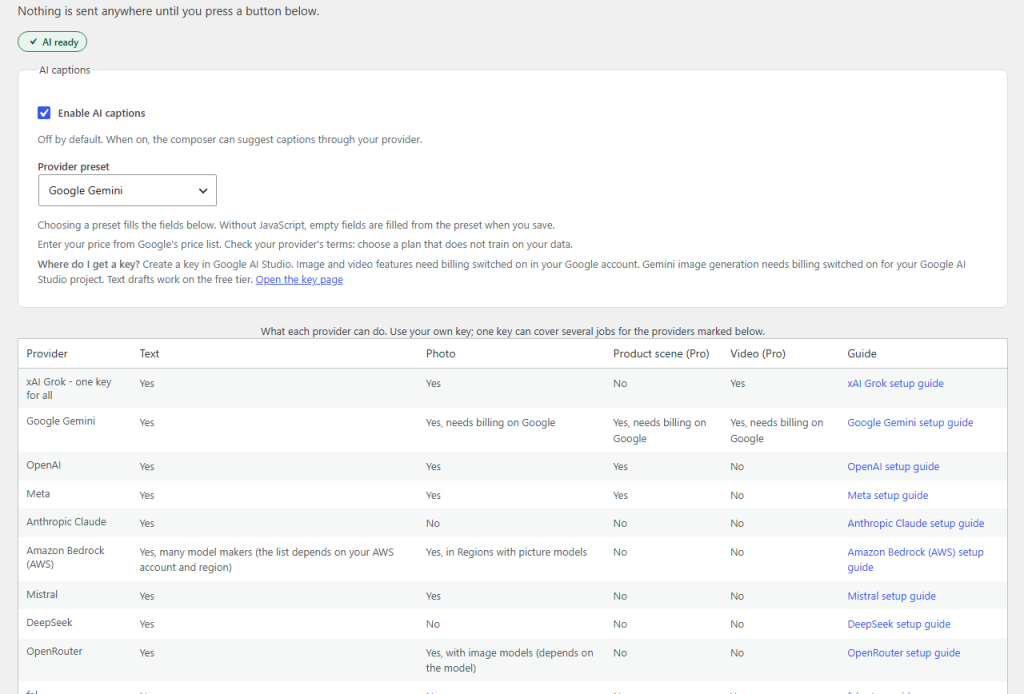
Screenshot from our demo site (a fictional coffee shop). The AI settings: choose your provider; keys are stored on your site and never shown.
Marketing Studio Pro
More AI, and a plan for your posts
Pro is a paid add-on to the free plugin. It adds scheduling for any date and time, product scenes from your real photo, AI video clips and Reels, campaigns, a calendar and results, including the WooCommerce orders that came through your post links.
Product scenes from your real photo
Keep your real product and let your AI image provider build a new scene around it: a gift table, a kitchen, a shop window. Your product stays your product.
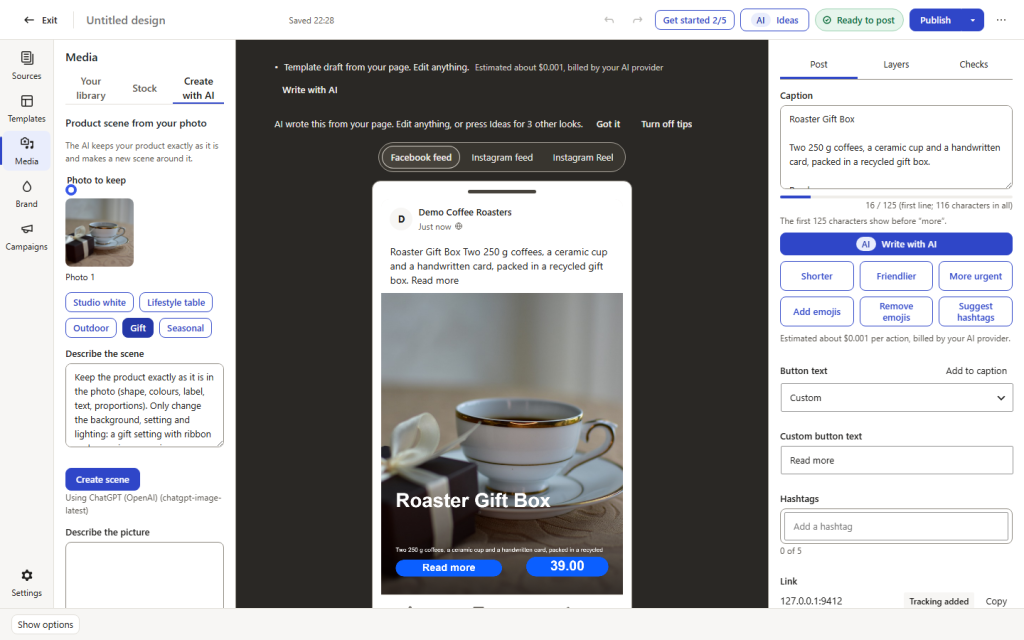
Screenshot from our demo site (a fictional coffee shop). Pro: the real product photo you keep.
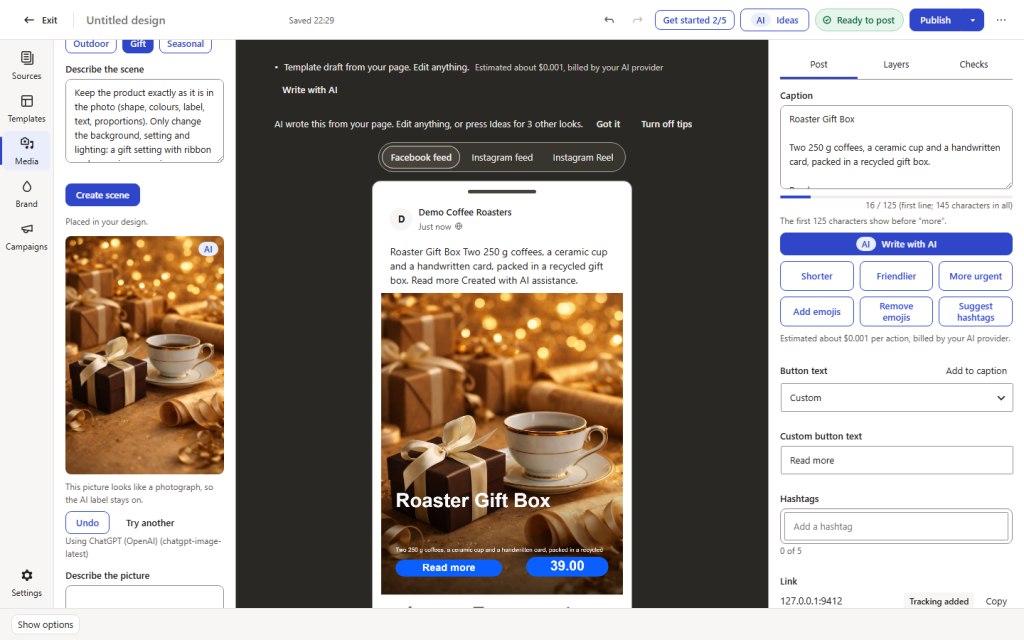
Screenshot from our demo site (a fictional coffee shop). Pro: a new scene built around the real product. The scene was made with AI and is labelled as such.
AI video clips and Reels from a photo
Turn a product photo into a short clip or Reel with Google Veo, Runway, xAI or fal.ai, using your own key. The cost estimate is shown before you start.
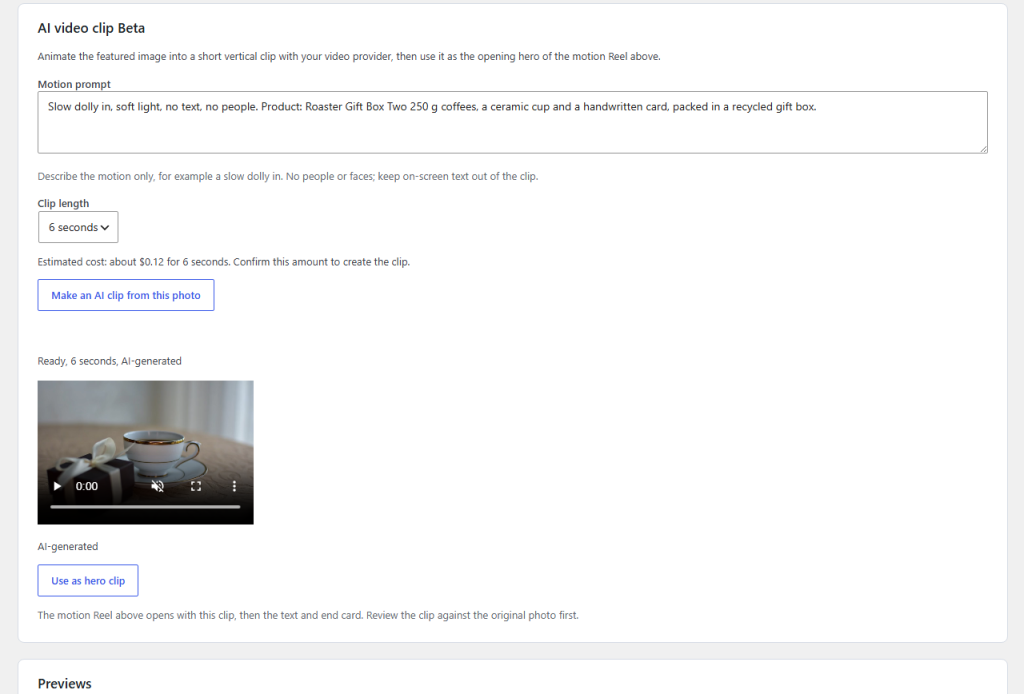
Screenshot from our demo site (a fictional coffee shop). Pro: a 6-second clip made from a product photo. The clip was made with AI and is labelled as such.
Campaigns, scheduling and a calendar
Plan a series of posts around a goal, such as a product launch or a sale. The AI drafts every piece, you review them on a board, and the calendar shows what goes out when. Schedule any post for a date and time: our server wakes your site when a post is due, so it goes out on time even when nobody visits. Results show reach and engagement from Meta and, in WooCommerce shops, the orders that came through your post links.
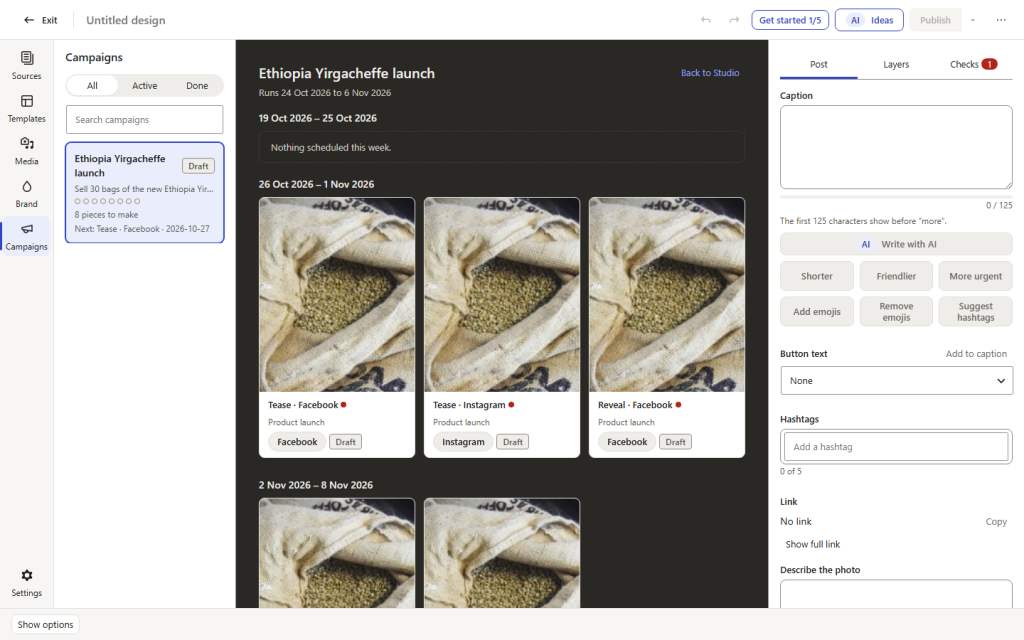
Screenshot from our demo site (a fictional coffee shop). Pro: a campaign of eight pieces on the board, still drafts.
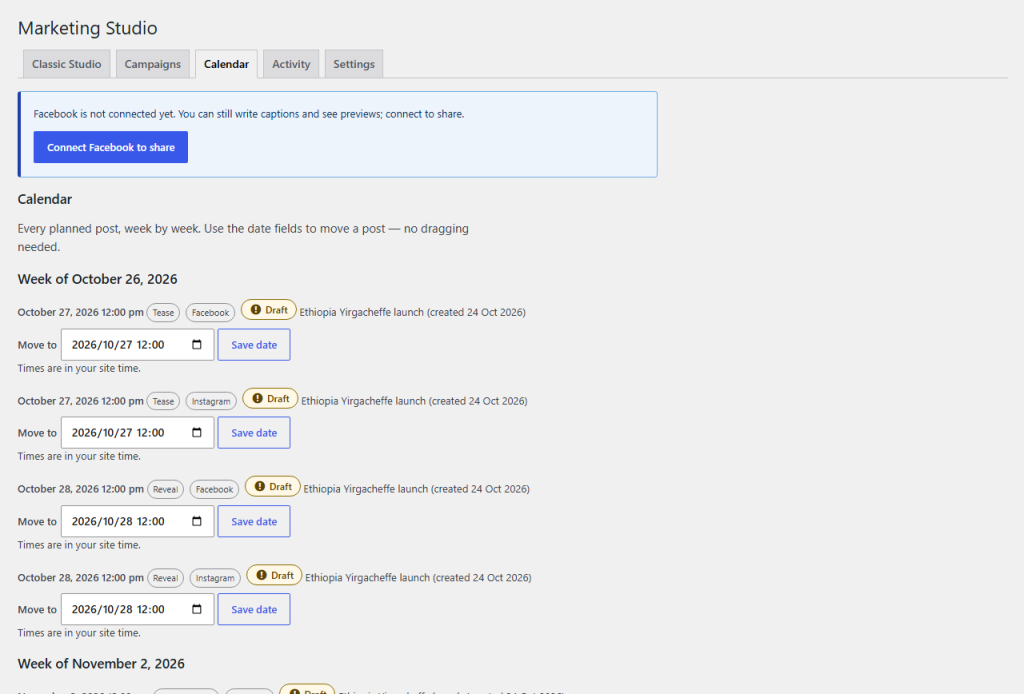
Screenshot from our demo site (a fictional coffee shop). Pro: the planned posts on the calendar.
How it works
1
Pick
Choose a page, post or WooCommerce product from your own site.
2
Let the AI draft
Caption options and a picture: AI made, from your media library or from free stock photos.
3
Check and approve
See the Facebook and Instagram previews and edit anything. Nothing goes out without you.
4
Publish
Share now. For a post you scheduled in WordPress, the share goes out when the post is published; Pro adds any date and time. Posts go to your own Facebook Page and, if linked, your Instagram professional account. An Activity screen lists every post and what to do if one failed.
How the connection works
You connect your own Facebook Page with Facebook Login. The access it gives is stored only on your own website, encrypted; there is no account with us. You can disconnect at any time from the plugin’s settings, and deleting the plugin removes the stored access. Version 1.0 uses your own free Meta app; the setup guides walk you through it.
Setup guidesPrivacy, terms and data deletion
How personal data is handled, the terms that apply and how to remove the plugin’s access are explained on these pages.
Privacy policy Website terms Data deletion Legal noticeFit and limitations
Single-site WordPress 6.6 or newer with PHP 8.1 or newer, on an HTTPS address. You need a Facebook Page you manage; Instagram needs a professional account linked to that Page. AI features need a key from one of the supported providers. In the free plugin, a share waiting for a scheduled WordPress post runs through WordPress cron, so on a quiet site it may go out late; Pro’s reliable timing wakes your site when a post is due. Price-claim checks are guidance, not legal advice.
Status
The free edition is in the WordPress.org plugin directory: install it from Plugins > Add New in your dashboard. Marketing Studio Pro, the paid add-on, is on sale here.
Marketing Studio Pro ↗ Back to the pluginsThe business behind it
AI Plugin Factory is a brand of Evosolve Kft. Evosolve Korlátolt Felelősségű Társaság (Evosolve Kft.), a company registered in Hungary. Registered office: 6722 Szeged, Kálvária sugárút 19., Hungary. Company registration number: 06-09-024422. Registering court: Szegedi Törvényszék Cégbírósága. Tax number: 26344465-2-06. EU VAT number: HU26344465. Email: [email protected].