WordPress add-on
Marketing Studio Pro
A separate add-on for the free Evosolve Marketing Studio plugin: scheduling with reliable timing, campaigns, a calendar, results, AI video and Reels, and product scenes from your own photo. The free plugin keeps working on its own.
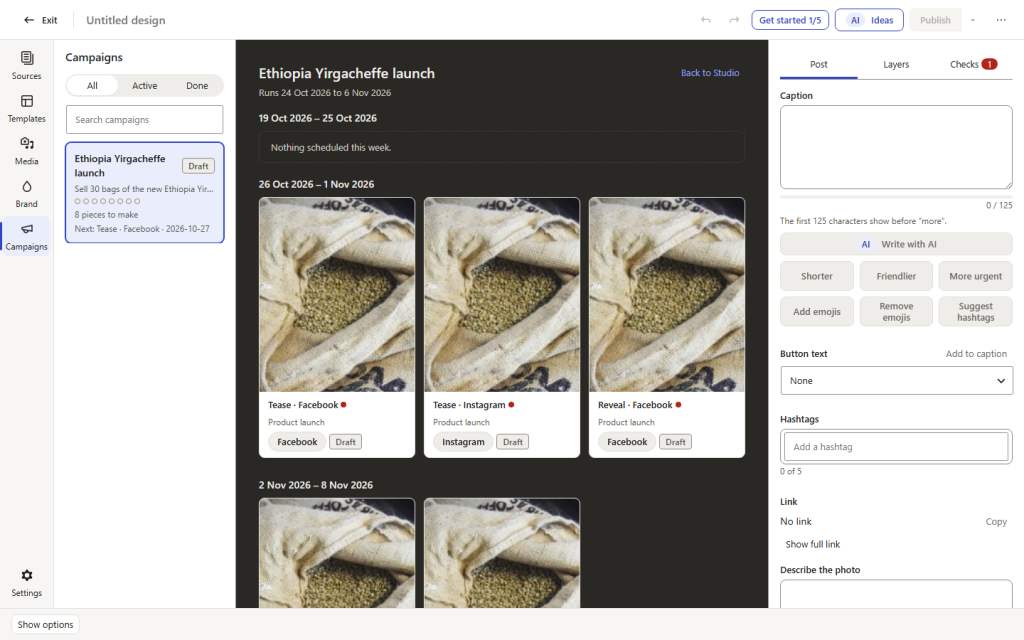
Screenshot from our demo site (a fictional coffee shop). Pro: a campaign of eight pieces on the board, still drafts.
What Pro adds
More AI, and a plan for your posts
Product scenes from your real photo
Keep your real product and let your AI image provider build a new scene around it: a gift table, a kitchen, a shop window. Your product stays your product.
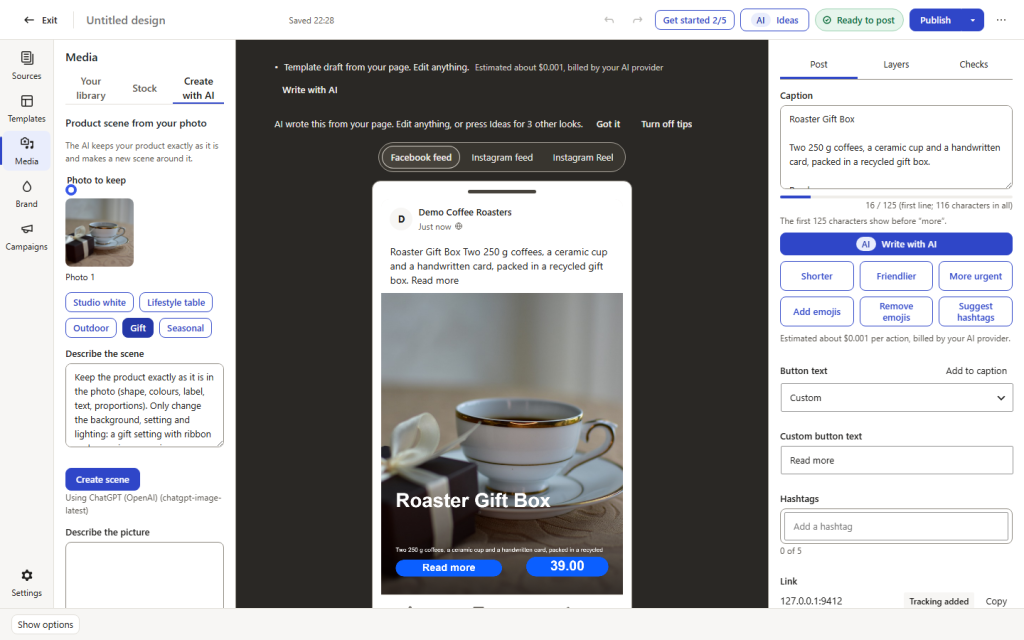
Screenshot from our demo site (a fictional coffee shop). Pro: the real product photo you keep.
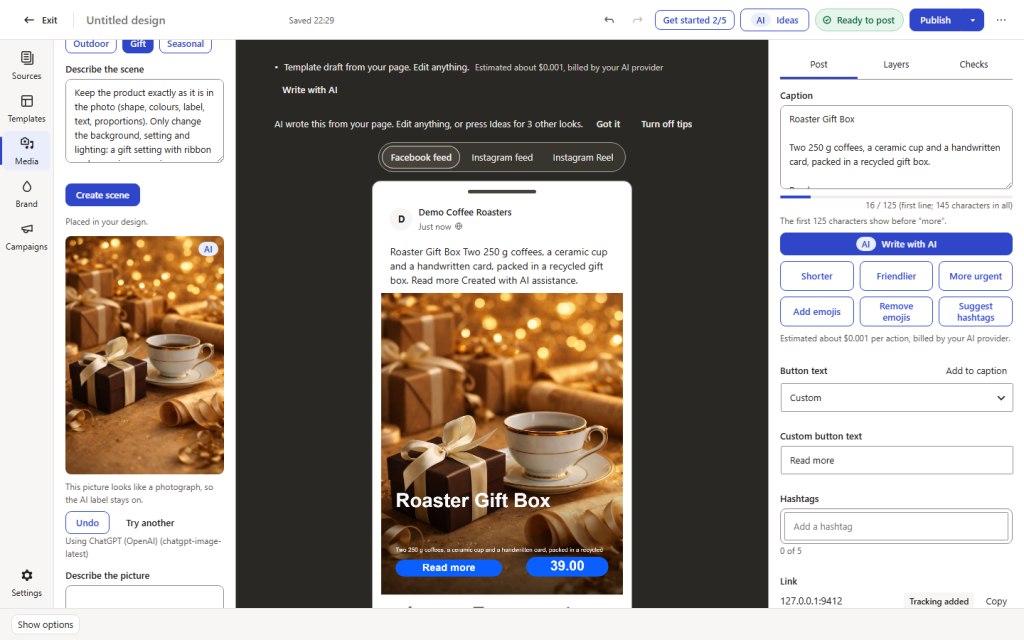
Screenshot from our demo site (a fictional coffee shop). Pro: a new scene built around the real product. The scene was made with AI and is labelled as such.
AI video clips and Reels from a photo
Turn a product photo into a short clip or Reel with Google Veo, Runway, xAI or fal.ai. You use your own key, the provider bills you directly, and the cost estimate is shown before you start.
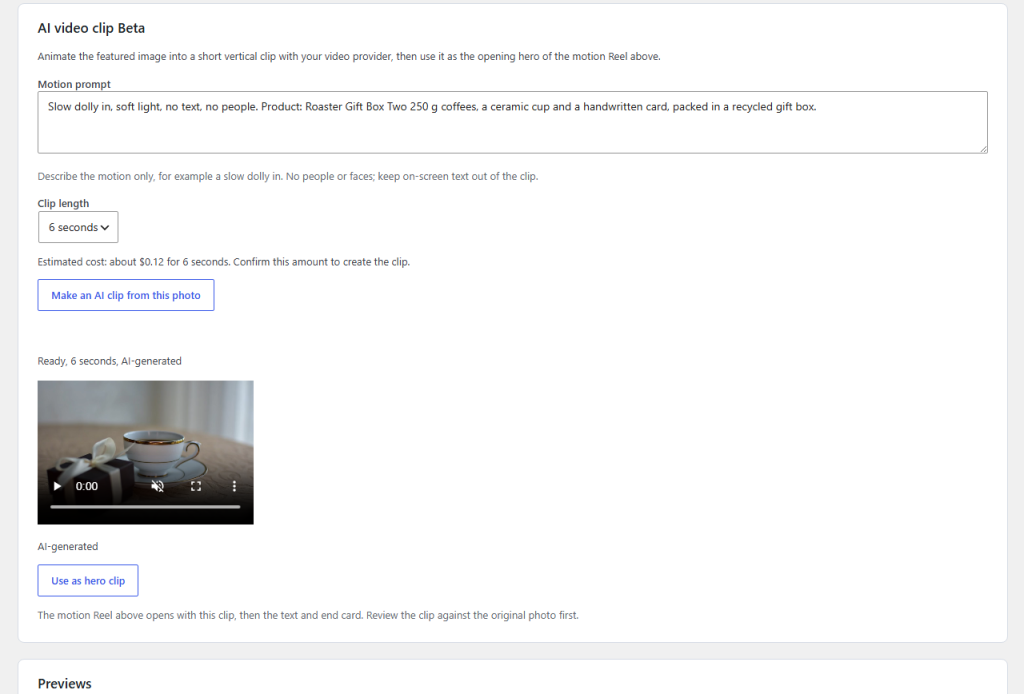
Screenshot from our demo site (a fictional coffee shop). Pro: a 6-second clip made from a product photo. The clip was made with AI and is labelled as such.
Campaigns the AI drafts for you
Plan a series of posts around a goal, such as a product launch or a sale. The AI drafts every piece, you review them on a board, and results show how they did: reach and engagement from Meta and, in WooCommerce shops, the orders that came through your post links.
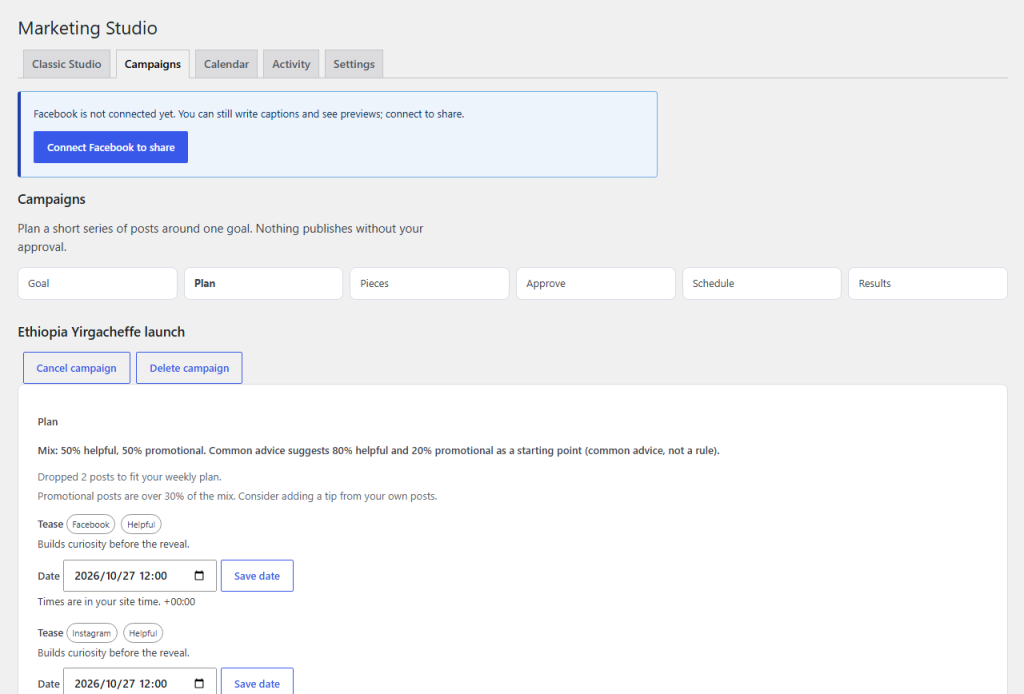
Screenshot from our demo site (a fictional coffee shop). Pro: the campaign plan, with the mix of helpful and promotional posts and a date for each.
Scheduling with reliable timing, and a calendar
Schedule any post for a date and time, and see every scheduled and published post on one calendar. Reliable timing: our server wakes your site when a post is due, so it goes out on time even when nobody visits. You can switch it off in the settings.
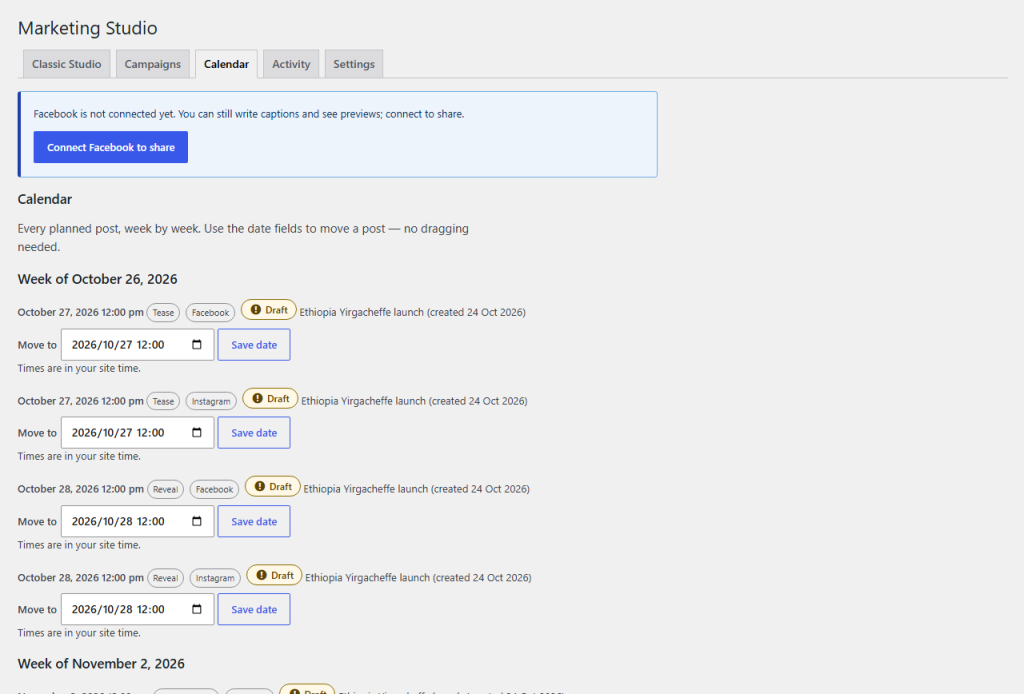
Screenshot from our demo site (a fictional coffee shop). Pro: the planned posts on the calendar.
The classic Studio screen
The earlier, single-screen Studio layout, for those who prefer it.
Prices
One yearly licence per plan
Personal
€29
€29 per year, VAT included, for 1 site.
Magyarországon: 11 990 Ft (áfával)
EU businesses with a valid VAT number pay €22.83 (VAT reverse charged). Outside the EU the price is the same; local VAT, where it applies, is included.
Pro’s features, updates and support for one year. Download from your account right after payment.
Buy PersonalBusiness
€59
€59 per year, VAT included, for 5 sites.
Magyarországon: 23 990 Ft (áfával)
EU businesses with a valid VAT number pay €46.46 (VAT reverse charged). Outside the EU the price is the same; local VAT, where it applies, is included.
Pro’s features, updates and support for one year. Download from your account right after payment.
Buy BusinessAgency
€119
€119 per year, VAT included, for 25 sites.
Magyarországon: 46 990 Ft (áfával)
EU businesses with a valid VAT number pay €93.70 (VAT reverse charged). Outside the EU the price is the same; local VAT, where it applies, is included.
Pro’s features, updates and support for one year. Download from your account right after payment.
Buy AgencyThe checkout shows your exact total before you pay. Prices include VAT and are the same for private buyers everywhere: Hungarian VAT at 27% in Hungary and the other EU countries, UK VAT at 20% in the United Kingdom, and no VAT elsewhere; EU businesses with a valid VAT number pay no VAT (reverse charge). With a billing address in Hungary you pay in forint, at the price shown on each plan.
Licences do not renew automatically. After the year, Pro’s features switch off until you buy a new yearly licence; what you made with Pro is kept and the free plugin keeps working. Pay by card or Revolut Pay; the invoice is sent by email.
How it works
1
Buy a licence
Choose a plan above. Your licence key and the download appear in your account as soon as the payment is confirmed.
2
Install Pro
Install the free Evosolve Marketing Studio from WordPress.org (Plugins > Add New, search for “Evosolve Marketing Studio”), then upload Marketing Studio Pro in Plugins > Add New > Upload.
3
Enter your key
Open Marketing Studio > Settings > Licence and paste the key: it switches Pro’s features on and brings updates. You can free a site there and use the key elsewhere.
The free plugin
Everything in the free plugin stays free and works on its own: text captions, AI photos, stock photos and publishing to your Facebook Page and Instagram.